
10 Appliances That Use Power Even When Turned Off
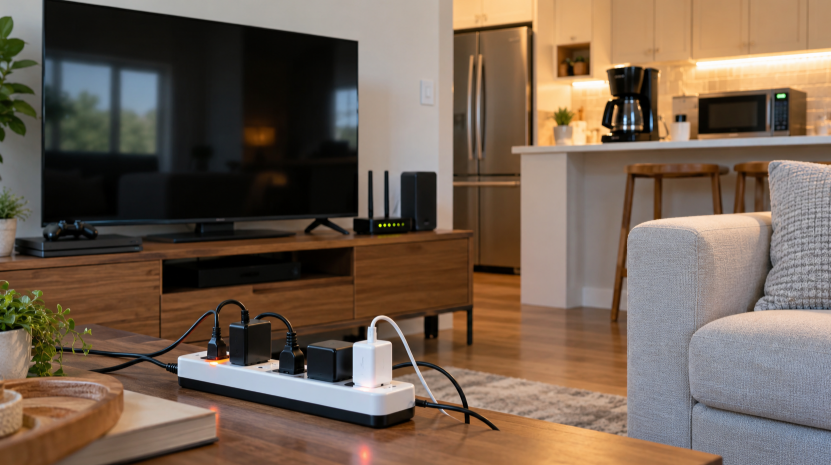
Many devices in your home keep drawing electricity even when they look turned off. This hidden use is called standby power, phantom load or "vampire" power. The U.S. Department of Energy (DOE) says it accounts for 5% to 10% of residential energy use, and estimates of what it costs the average household range from up to $100 to up to $183 a year.
The Ohio Consumers' Counsel says an average home has 20 to 40 electronic devices that use standby power. Below are 10 common ones, why they draw power, and what to do about each.
10 appliances that use power even when turned off
1. Cable or satellite box with a DVR
These boxes stay on so they can record shows and download guide data. A Berkeley Lab measurement reported by Arcadia put a digital cable box with a DVR at about 45 watts on average when not in use or recording. Newer boxes are more efficient. The same article cites an industry report saying set-top box energy use fell 40% between 2012 and 2018.
What to do: Ask your provider whether a newer, more efficient box is available. If you rarely record, consider a model without a DVR.
2. Game consoles
The biggest drain is leaving a console in "ready" or "pause" mode. Berkeley Lab data reported by Arcadia shows about 23 watts in that mode, versus about 1 watt when the console is fully off.
What to do: Power the console off completely instead of leaving it paused. Turn off any setting that wakes it automatically for downloads and updates if you don't need it.
3. Televisions
Modern TVs wait for a remote signal, keep a quick-start mode ready and sometimes listen for voice commands or network wake-ups. Each does little on its own, but a house with several TVs adds up.
What to do: Turn off "quick start" or "instant on" modes if your TV has them. Plug the TV and its accessories into one switchable power strip.
4. Desktop computers and monitors
The Ohio Consumers' Counsel recommends shutting computers down rather than just logging off, and turning off monitors and peripherals instead of leaving them in sleep mode. Berkeley Lab data shows a laptop or tablet plugged in and asleep draws about 16 watts on average, according to the Arcadia article.
What to do: Shut the computer down at night. Put the computer, monitor, speakers and printer on one switchable power strip.
5. Speakers, soundbars and audio receivers
Audio equipment often stays powered so it can react to a signal. An idle subwoofer that is switched on but not playing draws about 10.7 watts, and computer speakers about 4 watts, based on the same Berkeley Lab figures reported by Arcadia. Bluetooth systems can stay on constantly.
What to do: Switch audio gear off at the unit or on a power strip when you are done listening.
6. Printers
Printers keep a low-power mode running so they can wake up when you send a job. A home printer is used only occasionally, which makes the idle hours add up.
What to do: Plug it into a power strip and turn it on only when you print. Check your model's energy-saving or auto-off setting.
7. Microwave ovens
The clock display and electronic controls draw a small amount of power around the clock. It is tiny, but it never stops.
What to do: It is usually not worth unplugging, but if you are measuring your standby devices, a watt meter will show you the number for your model.
8. Coffee makers with clocks and displays
Programmable machines keep a display and timer running all day. Machines with a heating plate that stays warm use more while they are on, so turn those off when you are done brewing.
What to do: If you only use the machine in the morning, unplug it between uses or put it on a switchable power strip.
9. Electronically controlled dryers and other appliances
Electronic controls, digital displays and touch panels draw small amounts of power at all times. Dryers, washers, dishwashers and ovens with digital panels are the usual examples.
What to do: Don't worry about unplugging these. A better use of your time is the biggest items first: the devices above and your heating and cooling.
10. Phone, laptop and tablet chargers
A charger left in the wall keeps drawing a little power, even with nothing attached. The Ohio Consumers' Counsel advises unplugging chargers once devices are fully charged.
What to do: Keep one charging spot on a switchable power strip and turn it off when everyone has charged up.
Also worth checking: smart home devices, such as smart speakers and hubs, and water recirculation pumps. A 2015 NRDC study, summarized by EnergySage, ranked those among the larger standby loads.
What these devices can cost per year
To turn a wattage into a cost, use this formula: watts × hours ÷ 1,000 = kWh, then multiply by your price per kWh. The table below uses the measurements mentioned above and the EIA's forecast average residential price of about 18.2 cents per kWh in 2026, and assumes the device draws that power 24 hours a day, every day.
| Device and state | Watts | kWh per year | Cost per year |
|---|---|---|---|
| Cable box with DVR, idle | 45 | 391 | $71 |
| Game console, ready or pause mode | 23 | 202 | $37 |
| Laptop or tablet, plugged in and asleep | 16 | 138 | $25 |
| Subwoofer, on but idle | 11 | 94 | $17 |
| Computer speakers | 4 | 36 | $7 |
| Game console, fully off | 1 | 9 | $2 |
These are older averages from Berkeley Lab measurements reported in 2019, and many newer devices draw less. Your own numbers will differ, so measure them. The point is the pattern: a device left in a ready mode costs many times more than one that is fully off.
How to find the energy vampires in your home
- Get a watt meter. A plug-in meter such as a Kill A Watt costs around $20.
- Measure with the device "off." Plug the device into the meter, turn it off the way you normally do, and read the watts.
- Start with the entertainment center and home office. They usually have the most devices in one spot.
- Calculate the yearly cost with the formula above and focus on the biggest numbers first.
5 ways to cut standby power
- Use switchable power strips. The DOE suggests plugging devices into a strip with an on/off switch and turning it off when they aren't in use. Switching a strip off may erase settings on some devices.
- Try a smart power strip. These cut power to idle devices automatically and typically cost $20 to $50.
- Unplug what you rarely use. A spare toaster oven or an old printer is an easy candidate.
- Keep the essentials plugged in. The DOE says to leave items like your refrigerator and a digital alarm clock plugged in.
- Buy ENERGY STAR when you replace something. These products generally have lower standby power than comparable models without the label.
The bottom line
Standby power is rarely the biggest part of your bill, but it is one of the easiest to trim, and it runs every hour of every day. Start with the cable box, game console and home office, put them on switchable power strips, and measure anything you're unsure about. If your bill has jumped and you want to look at the bigger causes too, read why your electric bill might be so high all of a sudden and our guide to lowering your electricity bill with 9 practical steps.
This article is general information. Standby power varies by device, age and settings, and savings depend on your home and utility rates.
Sources
- EnergySage: energy vampires and phantom loads
- U.S. Department of Energy: Energy Saver tips on standby power
- Office of the Ohio Consumers' Counsel: vampire power fact sheet
- Arcadia: four energy vampires you haven't considered
- Henderson County, NC: vampire loads fact sheet
- EIA Short-Term Energy Outlook: electricity, coal and renewables
Leave a Reply